
Flexible pavement design, solved layer by layer — not read off a chart.
FlexiQ takes traffic and subgrade inputs through the AASHTO 1993 flexible pavement equation and out the other side as checked layer thicknesses, with the structural number solved numerically at every layer interface.
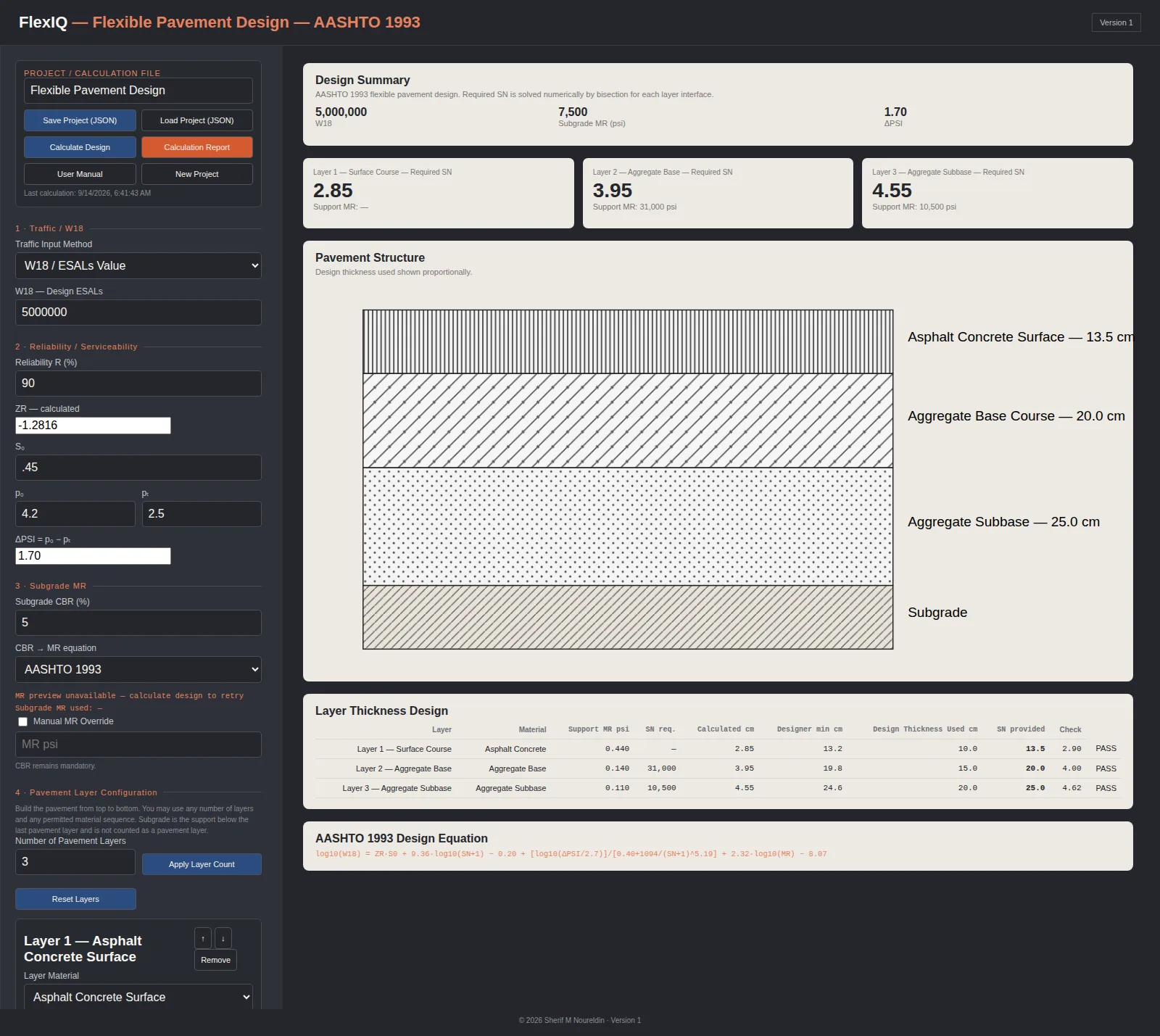
A complete structural design workflow, not a single formula.
Every input on the left panel is doing real work — the traffic method, the CBR-to-MR relationship, and the layer configuration all feed the same AASHTO equation on the right.
Two ways to define traffic
Enter a design W18 (ESALs) directly, or build it up from ADT, truck percentage, truck factor, growth rate and design life — FlexiQ computes the growth factor and converts it to W18 either way.
Reliability handled properly
Reliability R, standard deviation S₀, and initial/terminal serviceability (p₀, pₜ) feed the standard normal deviate ZR and ΔPSI automatically — no separate lookup table.
More than one CBR-to-MR method
Subgrade and layer resilient modulus can be derived from CBR using more than one published correlation, so the design basis stays visible instead of hard-coded to a single formula.
Any number of layers, any material
Asphalt concrete, aggregate base, aggregate subbase, asphalt-treated base, cement-treated base, and interlocking pavers can all appear in the same stack — set the layer count and configure each one.
The structural number is solved, not approximated
Required SN at each layer interface is solved numerically by bisection against the AASHTO 1993 equation, then converted to a required thickness using each layer's coefficient and drainage factor.
The cross-section draws itself
Once thicknesses are calculated, FlexiQ renders the pavement structure to scale, with a distinct hatch pattern per material — asphalt, aggregate, sand, pavers — down to the subgrade.
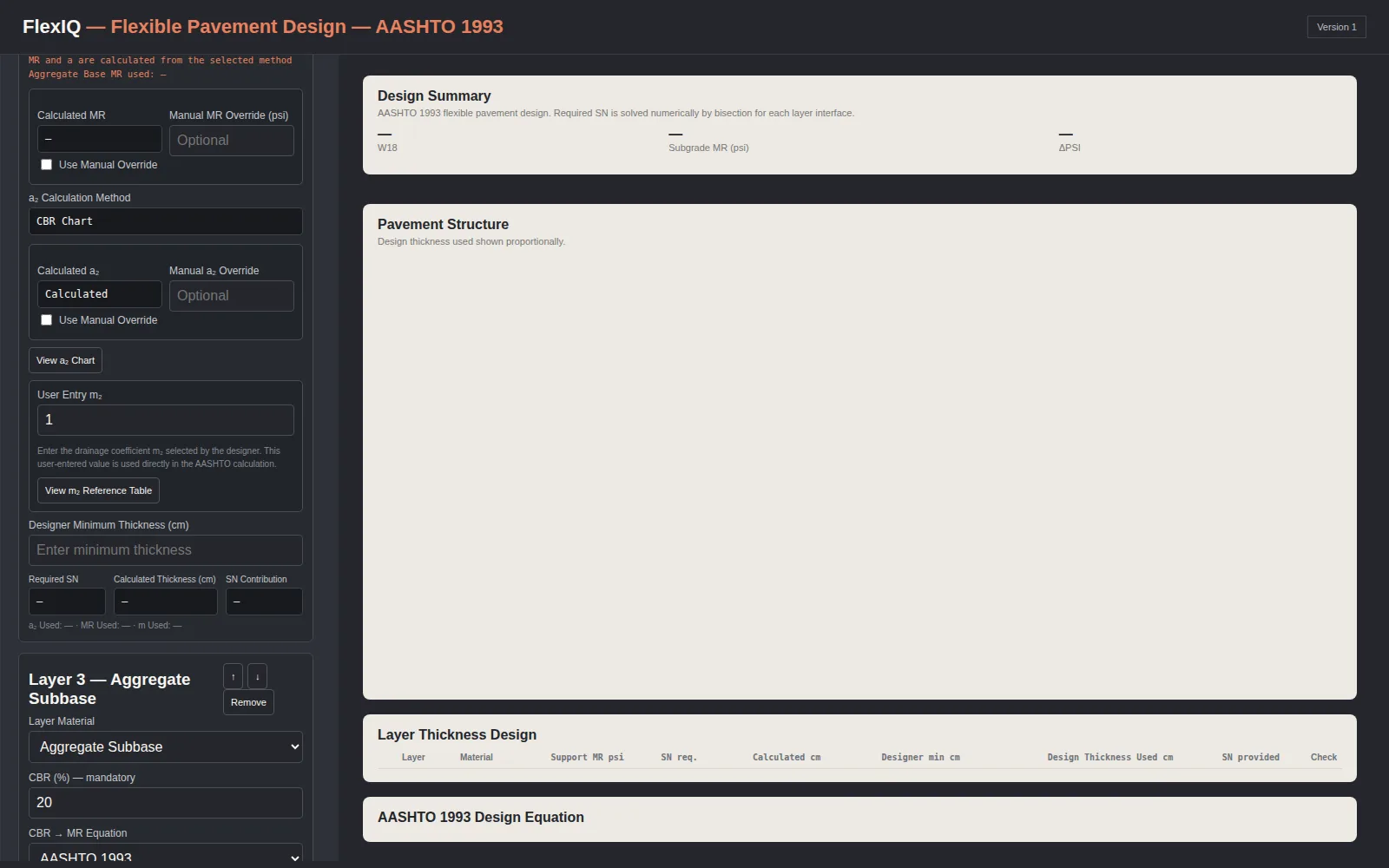
Every layer keeps its own material, CBR, and coefficient logic.
Add or remove layers, reorder them, and switch each one's a-coefficient method — from a CBR chart or a manual override — without losing the values already entered for the other layers.
- Manual overrides for MR and layer coefficients when a designer needs to depart from the calculated value
- Designer minimum thickness per layer, checked against the calculated requirement
- Drainage coefficient m₂ with a reference table on hand
Watch a design run start to finish.
From traffic inputs through the calculated cross-section and the final layer thickness table.
Run FlexiQ against your own project's traffic and subgrade data.
Request a demonstration to see a full design — inputs, calculation, and cross-section — built from a real project.