
One tool, two governing standards: FAA and ICAO.
HeliPlanIQ plans and designs heliports and helipads end to end — and a single "Design Standard" selector switches every dimension, obstacle surface, and safety-area calculation between FAA AC 150/5390-2D and ICAO Annex 14 Vol II (Category C).
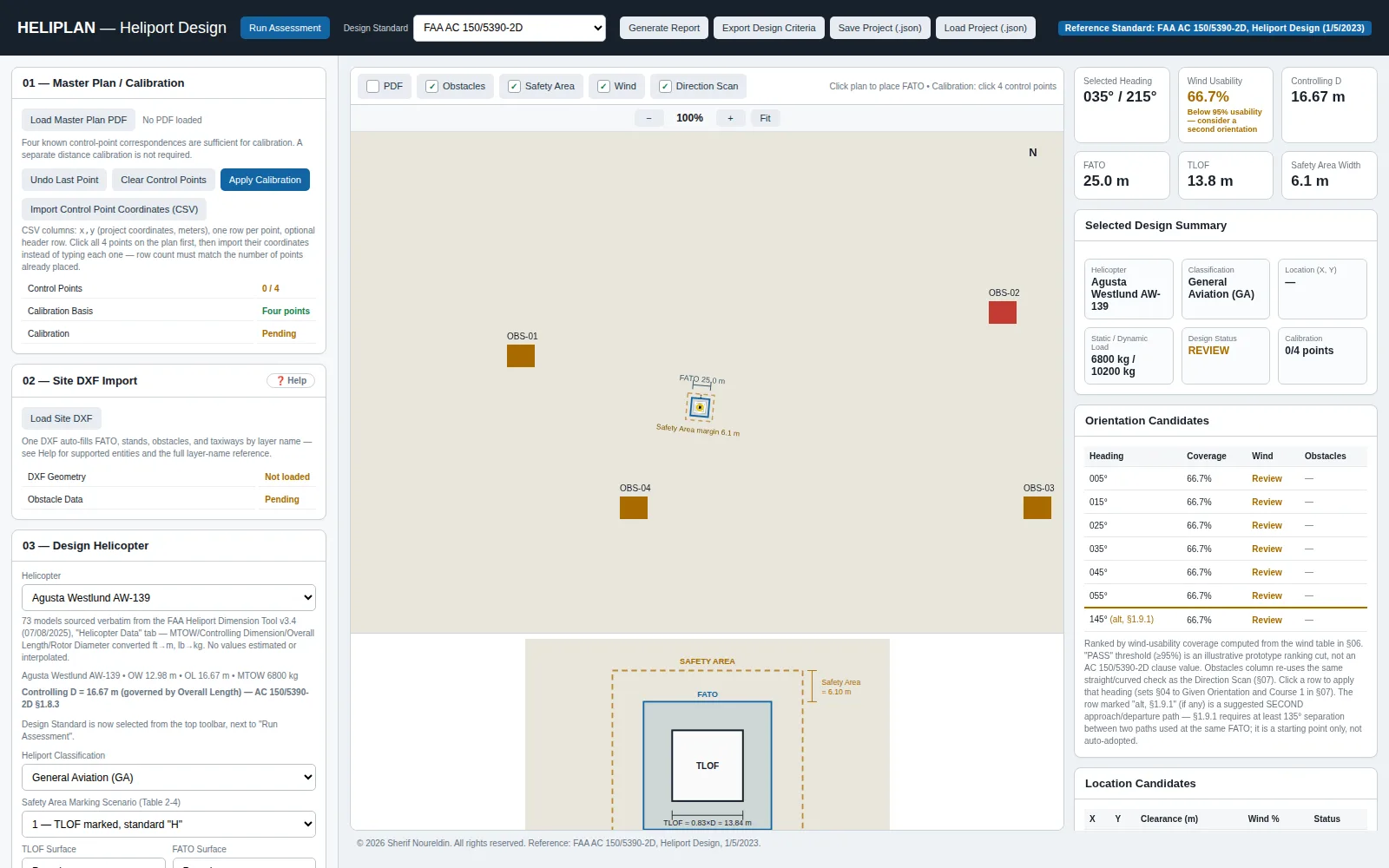
Built around the standard, the site, and the helicopter — in that order.
Two design standards, one switch
Choose FAA AC 150/5390-2D or ICAO Annex 14 Vol II (Category C) from the toolbar, and every downstream calculation — FATO and TLOF sizing, safety-area width, obstacle limitation surfaces — recomputes against that standard.
A 73-helicopter database sourced from the FAA itself
Controlling dimension, overall length, rotor diameter, and MTOW for 73 models are sourced verbatim from the FAA Heliport Dimension Tool — no estimated or interpolated values.
Site DXF import does the layer work for you
Load a site DXF and HeliPlanIQ auto-fills FATO, stands, taxiways, and obstacles by matching layer names — with a four-point control-point calibration step to align the drawing to real-world coordinates.
Wind-based orientation ranking
HeliPlanIQ ranks candidate FATO headings by wind-usability coverage, flags any orientation below the usability threshold, and suggests a second approach/departure path where §1.9.1 separation requires one.
FATO, TLOF, and Safety Area drawn to scale
Once a helicopter and heading are selected, HeliPlanIQ draws the touchdown and lift-off area, the final approach and take-off area, and the surrounding safety-area margin proportioned to the aircraft's controlling dimension.
A ranked table, not a single suggested heading.
Every heading is scored for wind coverage and checked against obstacles, so the designer can see the trade-off between the top-ranked orientation and the alternatives before committing to one.
- Coverage, wind score, and obstacle status shown side by side for every candidate heading
- A live design summary tracks helicopter, classification, static/dynamic load, and calibration status together
- Export a design report or the underlying project file once a heading is adopted
Watch a heliport laid out from calibration to final orientation.
Run a real site plan through both FAA and ICAO in the same session.
Request a demonstration and bring your own site DXF, helicopter model, or wind data.